Order Processing Automation with n8n — from chaos to order
Accept orders from email, CRM and forms; check stock, reserve items, send Telegram alerts and store records in Postgres/Airtable. No lost orders, no manual routine.
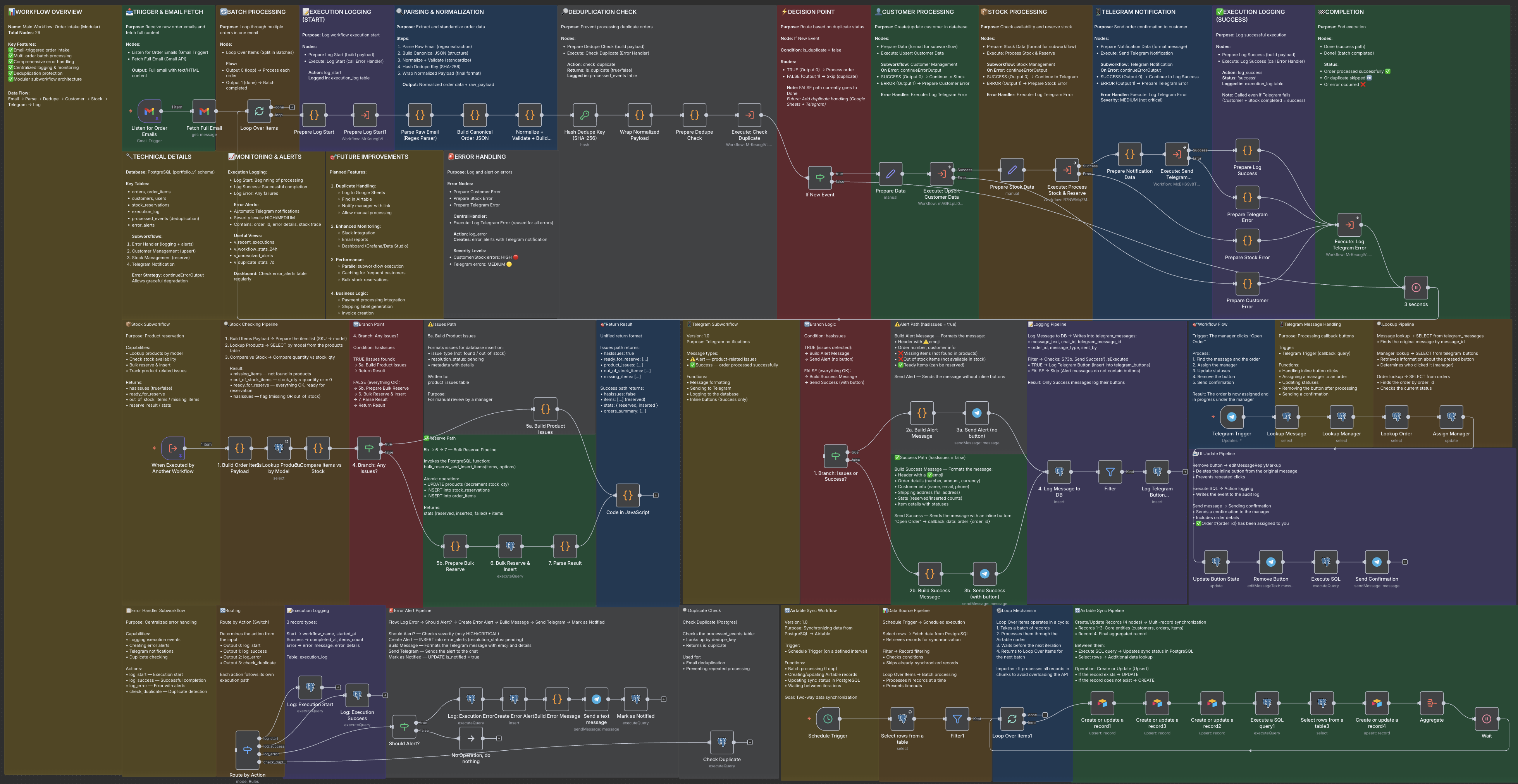
When orders turn into chaos
Your store grows, and orders start coming from everywhere — emails, site forms, CRM, marketplaces. Sometimes orders get missed, sometimes stock isn’t reserved in time.
As a result: orders vanish; the same item might be sold twice; customers wait too long; managers manually dig through emails, spreadsheets and chats; you lose control of the process.
If this situation sounds familiar — you are not alone.
What changed: automating orders with n8n
I built a system on n8n that:
collects orders from any source — email, online shop, forms, CRM, API;
normalizes data into a unified order format;
checks warehouse stock, reserves items and immediately shows which products are ok and which require attention;
sends a clear order summary to managers via Telegram: order details, items, address, status;
highlights “problematic” items if needed — so manager can decide before confirmation;
logs who accepted the order and when;
stores full order history in a database (Postgres, Airtable or Google Sheets).
The result is a seamless end-to-end workflow: order → stock check → reservation → notification → assignment → database.
What business gets
E-commerce automation — orders from different channels are processed uniformly, no manual steps.
Fast processing — from order arrival to manager notification in seconds, not minutes.
Stock control and reservation — you won’t sell what you don’t have.
Transparency and traceability — order, status, responsible person, history — all in one place.
Less routine work — managers communicate with clients, not shuffle data.
Centralized database — great for analytics, reporting, error tracking.
What changes in real life
After implementation you typically see:
order-to-manager time drops by several times;
stock errors and double sales almost disappear;
team saves dozens of hours per month previously spent on emails, verifications, spreadsheets;
you, as business owner, gain a clear overview: which order, from where, who’s handling, what needs to be done.
How to implement — steps
Connect order sources: email, forms, shop, CRM, API.
Define a unified order model (order number, items, total, customer, address).
Integrate warehouse / stock database (Postgres or any).
Set up stock check, reservation logic, error handling and notifications.
Enable Telegram alerts and order acceptance logic.
Configure storage and analytics: database, Airtable or Google Sheets.
Additional features (preorders, returns, partial shipments, extra notification channels, analytics) can be added later.
Who it’s for
Online stores receiving orders from various channels.
Growing e-commerce projects tired of chaos in orders, emails and spreadsheets.
Teams with multiple managers handling incoming orders.
Businesses wanting automation but not ready for a heavy ERP.
Why you should do it now
If you already sell — chaos is inevitable: missed orders, stock mistakes, lost customers.
Order processing automation gives you: stability, order, confidence that no order is lost, ability to scale sales without manual overhead, transparent analytics and control.
It’s not about buzzwords — it’s about business responsibility, efficiency and peace of mind.
FAQ
Do I need to change my current CMS or store platform?
No. The system works on top of your existing setup — orders must simply appear in a connected channel: email, webhooks, forms, CRM etc.
What if our order format is custom / non-standard?
No problem — the parser can be adapted to your template. If the format changes, you can adjust it without breaking the rest of the automation.
What if some items are ordered on demand (not kept in stock)?
You can define special logic: these items will be flagged separately and you’ll receive options — e.g. request supplier, or offer alternatives to the customer.
Can we use something else instead of Airtable?
Yes. Airtable is optional — you can use Google Sheets, your CRM, or store everything in the database.
What if a service (email, Telegram, etc.) is temporarily unavailable?
The system logs all events and doesn’t “lose” orders. As soon as the service comes back online — orders and notifications are delivered, nothing is lost.
Other projects
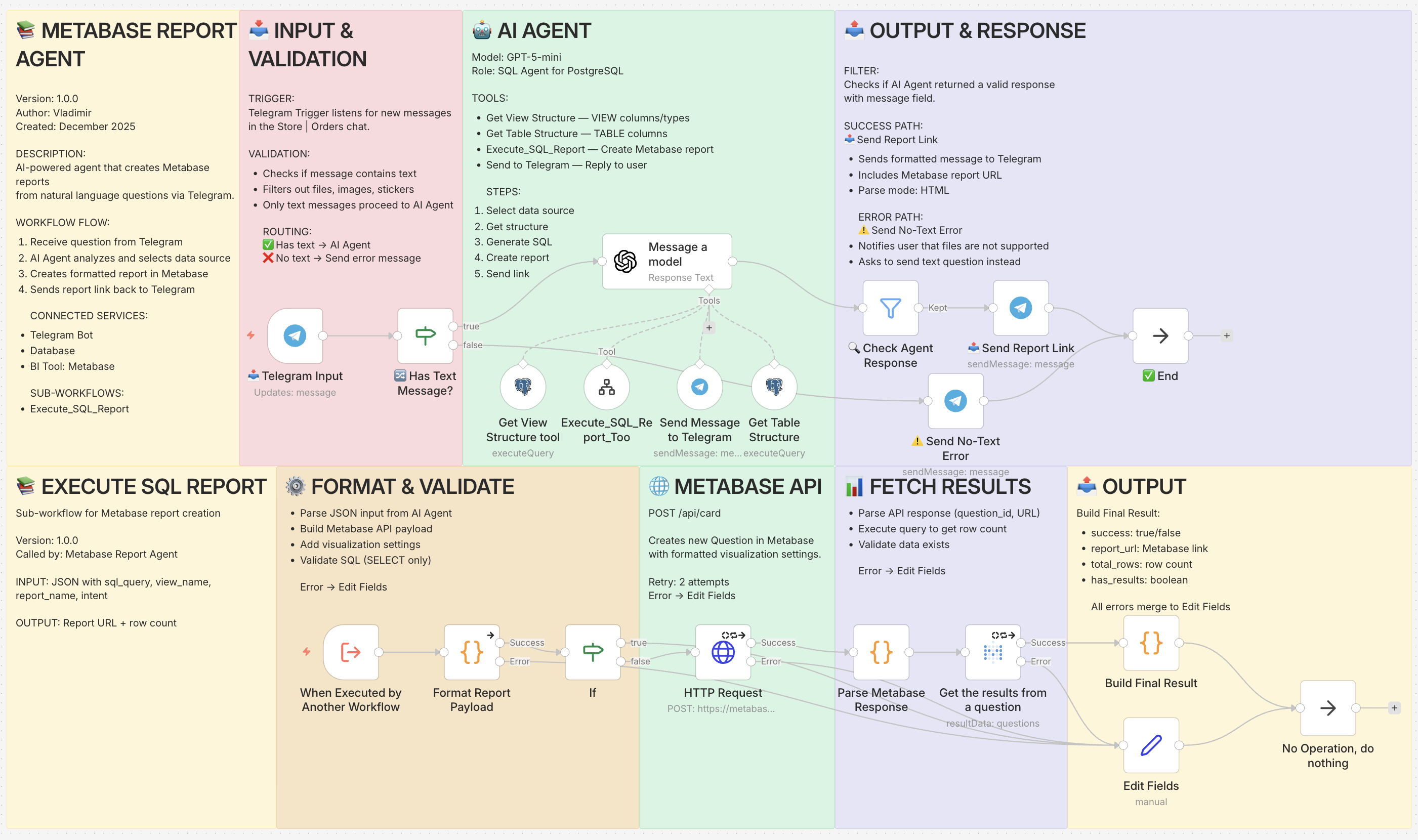
AI Business Reports: Get Analytics in Seconds — Not Hours
AI-powered business reporting that turns Telegram messages into real-time analytics and live Metabase reports — …
Look →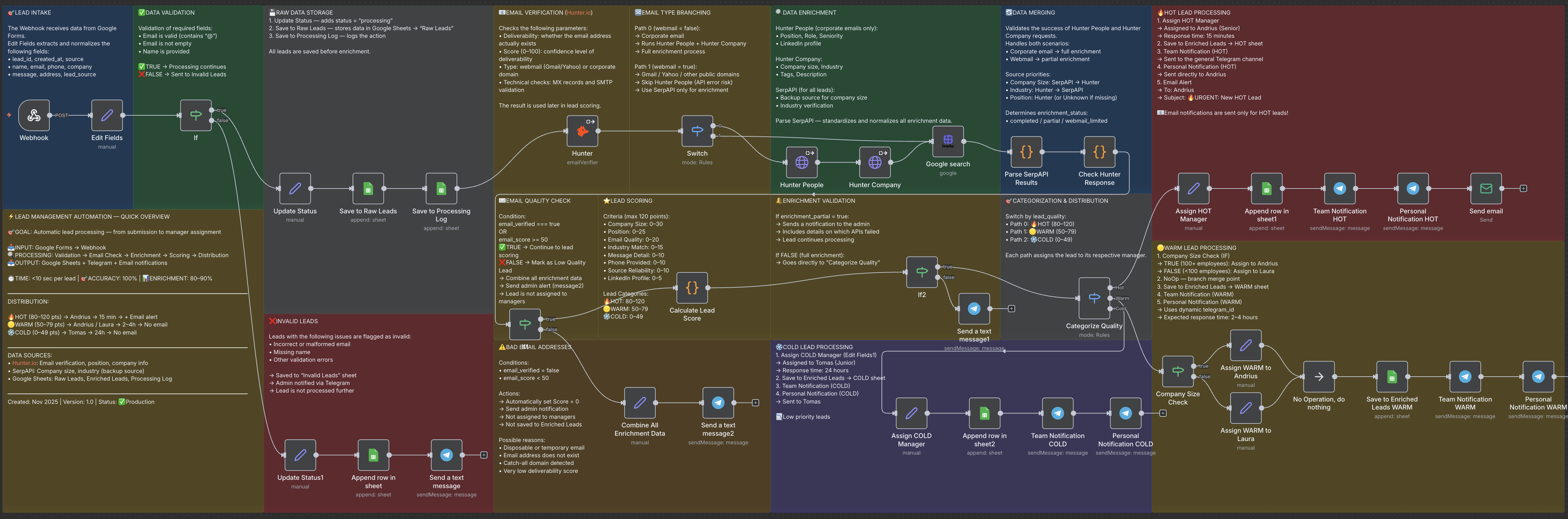
Lead Automation: From Form to Assigned Manager in Seconds
Lead automation system built on n8n that validates, enriches, scores, and assigns incoming leads automatically. …
Look →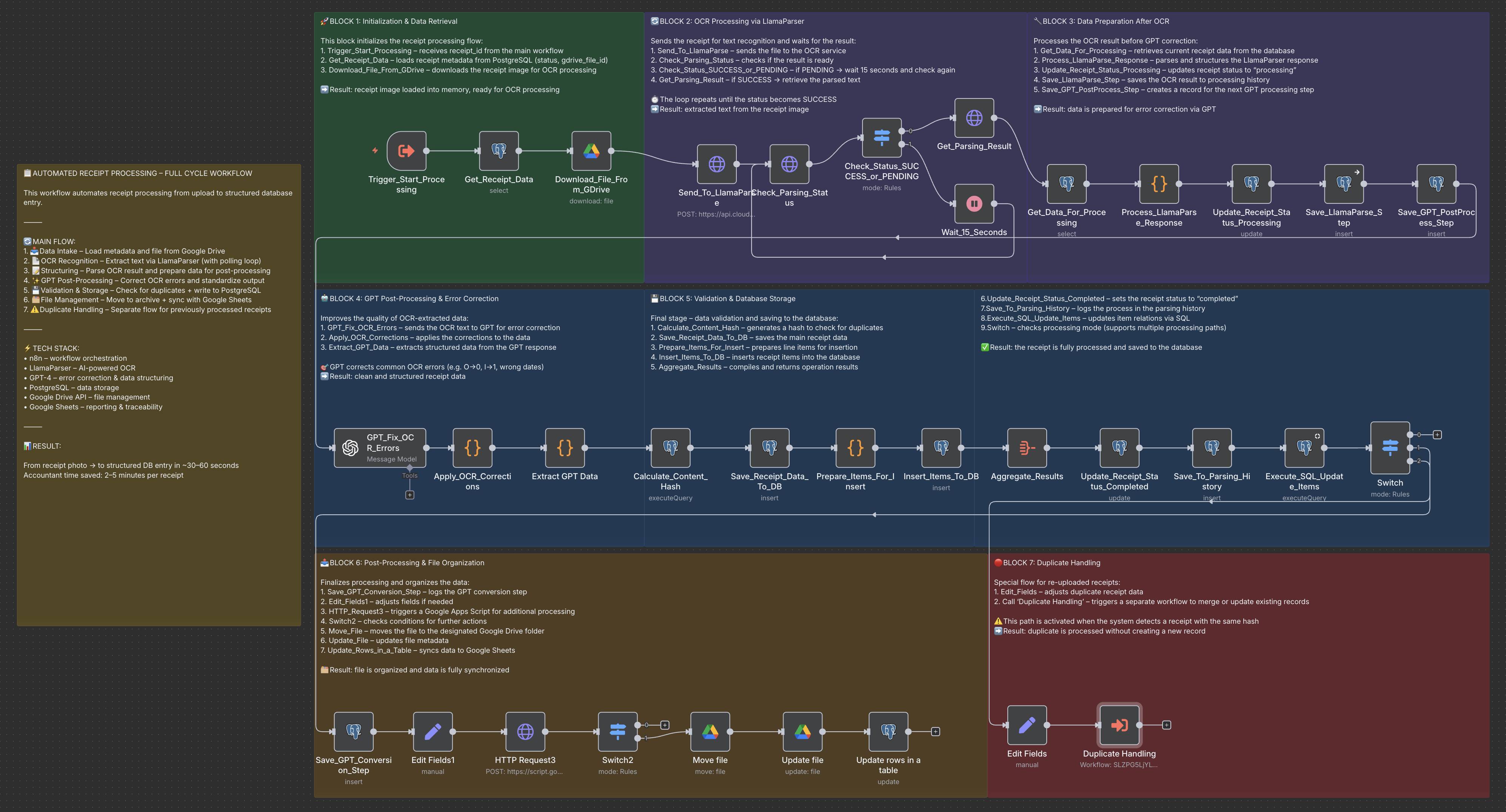
N8N Receipt Processing Automation: Save 40+ Hours Per Month
Automated receipt processing system built on N8N with AI-powered OCR. 45 seconds per document, 95% …
Look →